Basic DevOps CI/CD Pipeline
- #devops
- #ci/cd
- #jenkins
- #ansible
- #docker
In this tutorial, we implement a basic scenario to create a DevOps CI/CD Pipeline. First, let’s remember what we should expect from a CI/CD Pipeline:
- Where is the code?
- How do we build the code?
- Which tests will be applied?
- Where will the release process be carried out?
- Where do we maintain the artifact?
- How do we deploy the artifact?
- How will we monitor runtime?
GitHub, Docker, JUnit, Jenkins, Ansible, DockerHub, and Nagios will be our answers.
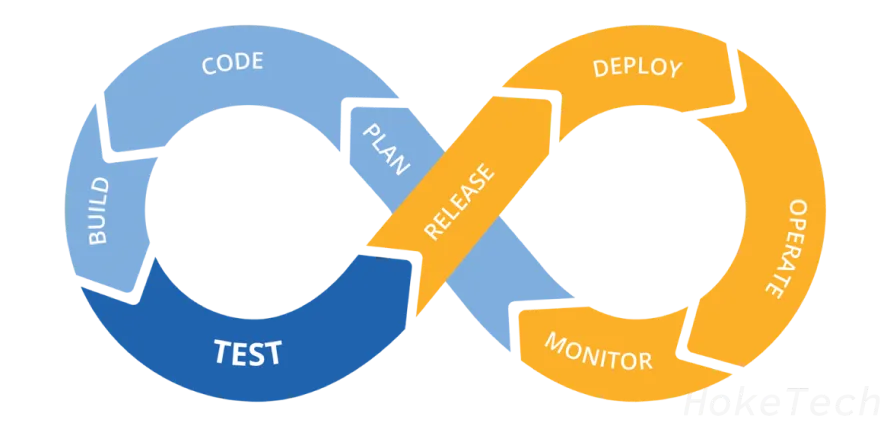
In this episode, we will set up the environment by installing Ansible, Docker, and Jenkins, then get the code from GitHub to Jenkins.
We will be using an Ubuntu 20.04 virtual machine on AWS for CI/CD processes, and another Ubuntu 20.04 for the application.
Installing Ansible on Ubuntu 20.04
First, we will update the apt package repository cache, then install the latest Ansible version with apt-get, and check the version.
sudo apt-get update
sudo apt-get install -y ansible
ansible --version
Then, we will add the application server’s details to the Ansible hosts file.
sudo vi /etc/ansible/hosts
Add the following lines to the file:
[appservers]
appserver1 ansible_host=172.31.0.4
Installing Jenkins on Ubuntu 20.04
First, we need to get and add the apt-key, then add the related binary to the apt source list. Then, install the latest Jenkins version with apt-get.
wget -q -O - https://pkg.jenkins.io/debian-stable/jenkins.io.key | sudo apt-key add -
sudo sh -c 'echo deb http://pkg.jenkins.io/debian-stable binary/ > /etc/apt/sources.list.d/jenkins.list'
sudo apt-get update
sudo apt-get install -y jenkins
sudo systemctl start jenkins
sudo systemctl enable jenkins
sudo systemctl status jenkins
After the installation, we need to access the GUI using the server’s external IP address.
curl icanhazip.com
# The output is the server's external IP
Retrieve the Jenkins admin password:
sudo cat /var/lib/jenkins/secrets/initialAdminPassword
# The output is the Admin Password of Jenkins
Access the Jenkins GUI at http://<external_ip>:8080, paste the admin password, and proceed with installing the suggested plugins. After the plugin installation, create the first admin user.
Installing Docker on Ubuntu 20.04
The fastest way to install Docker is using the get.docker script. After the Docker installation, we need to allow the Jenkins user to execute Docker commands.
sudo curl -sSL https://get.docker.com/ | sh
sudo systemctl start docker
sudo groupadd docker
sudo usermod -aG docker jenkins
sudo systemctl enable docker
docker version
In the next episode, we will continue by:
- Getting the source code from GitHub to Jenkins.
- Creating a Docker Image with setting up the JUnit test.
- Pushing our artifact to DockerHub.
- Preparing a deployment Ansible playbook.
- Triggering the Ansible playbook within Jenkins.
- Setting up the monitoring baseline.
Stay tuned for more details on building a comprehensive CI/CD pipeline.